
ComforTrade Broker Official Website & Trading Platform
ComforTrade is an online broker with a browser-based trading platform, Demo and Real modes, currency pairs, cryptocurrencies and other instruments. ComforTrade.co provides official-site access together with first-hand terminal screenshots, current conditions and practical navigation for international users.
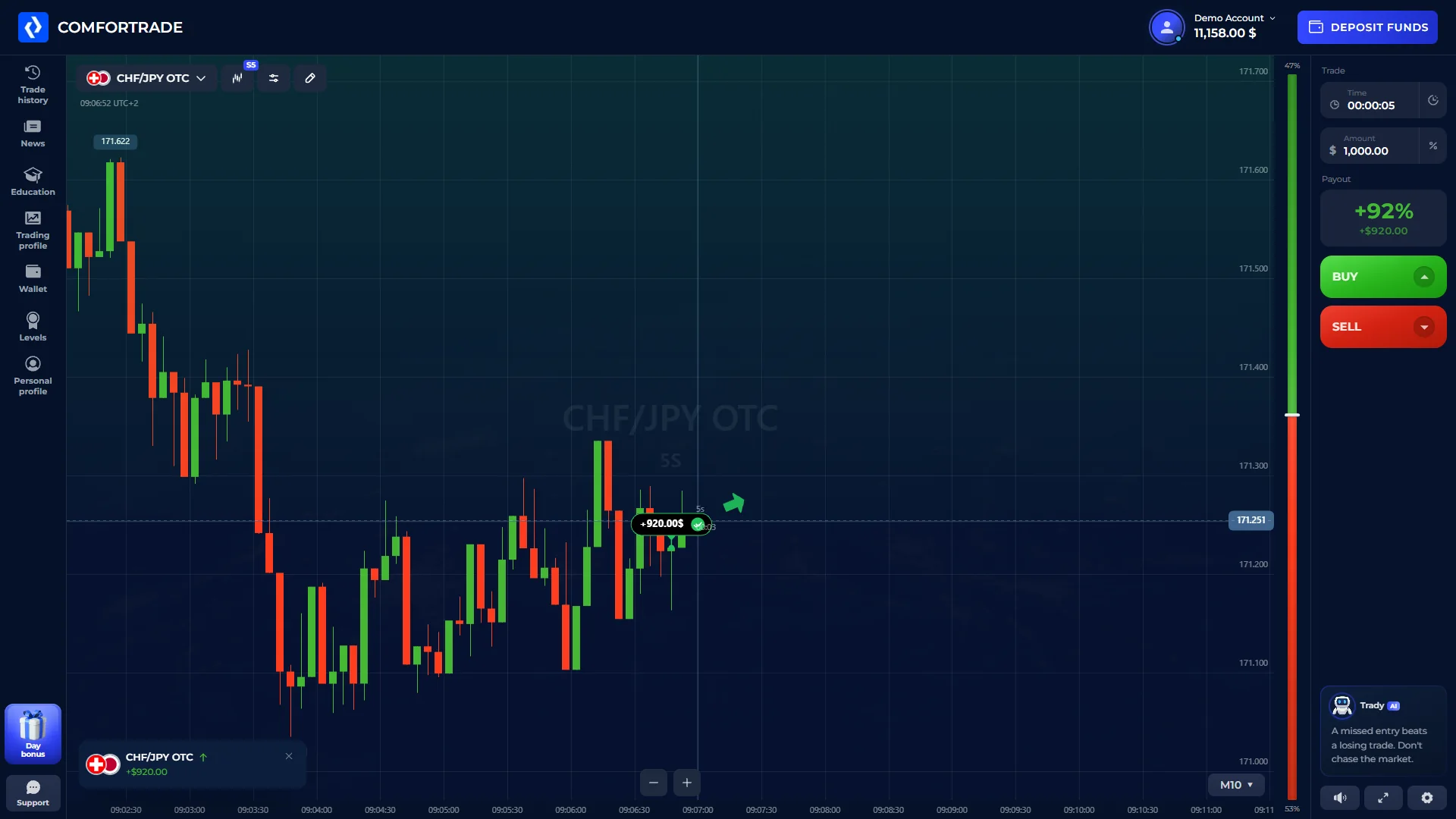
ComforTrade Broker: How the Service Works
ComforTrade combines broker access, a browser trading workspace and the main profile and cashier functions inside the Client Area. The service currently presents more than 60 instruments, including currency pairs and cryptocurrencies, while Demo and Real modes sit inside the same broader product environment.
Our role on ComforTrade.co is different from a generic broker review. We document the English interface we can actually see, then keep broker-stated limits, verification requirements and processing rules clearly attributed to the current official documents. That gives international users a quick way to understand both the product and the route to the broker.
The trading workspace is the strongest part of this page: below you can see the real terminal, indicator menu, trade-history screen and the mobile browser layout we captured during our check.
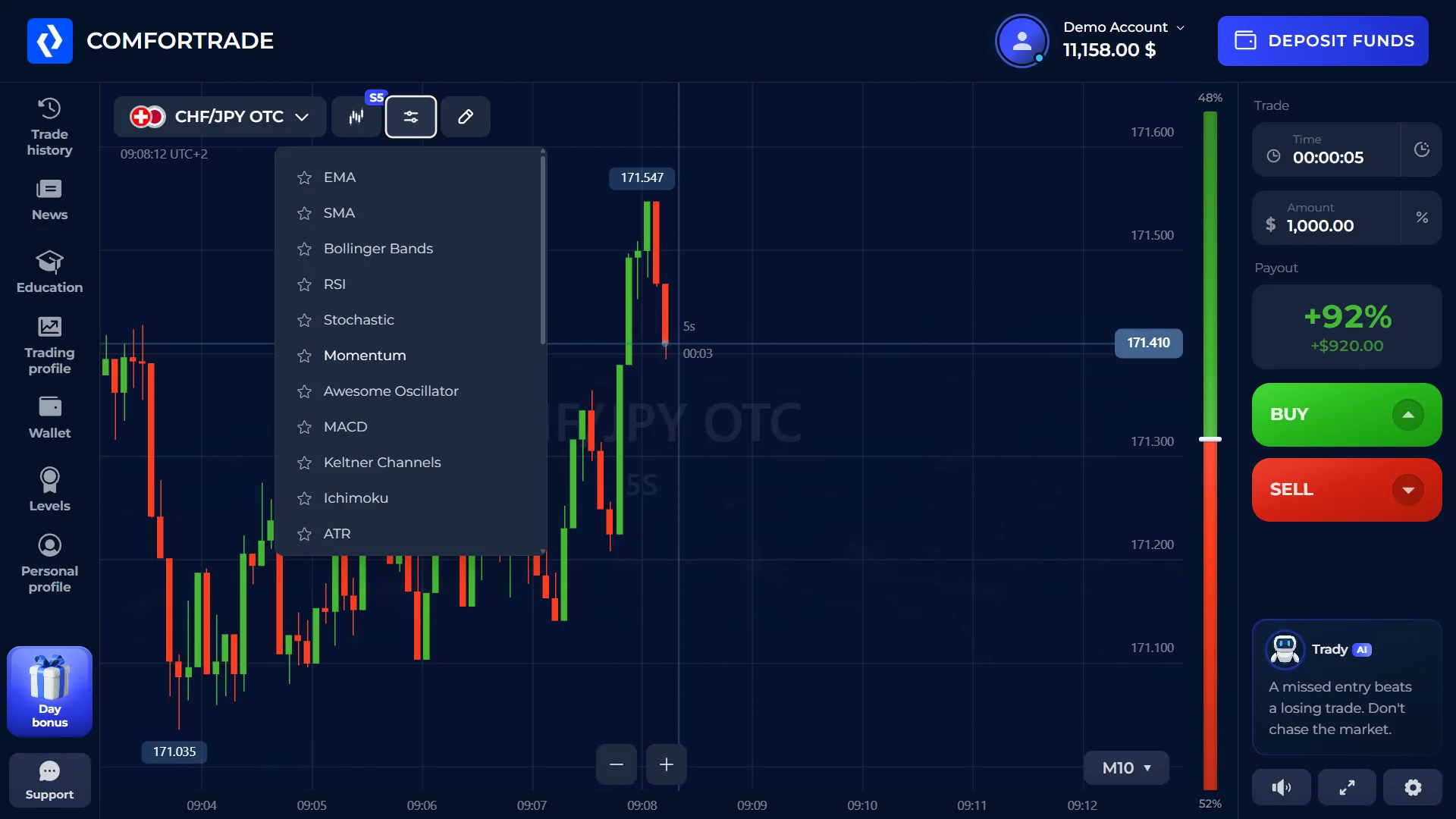
Inside the ComforTrade Trading Terminal
The browser terminal keeps the active instrument, chart, trade duration, amount and BUY/SELL controls on one screen. Technical-analysis tools can be opened without leaving the workspace.
During our check, the indicator menu showed EMA, SMA, Bollinger Bands, RSI, Stochastic, Momentum, Awesome Oscillator, MACD, Keltner Channels, Ichimoku and ATR. Trade history was also available from the same navigation environment.
Demo and Real Modes Serve Different Purposes
Demo is useful for learning the interface with virtual funds. Real mode is tied to funded trading and the broker's current verification and cashier requirements.
Demo mode
Demo exposes the core terminal controls used to learn the platform before moving to a funded account.
- Virtual balance
- Core terminal controls visible
- No first real deposit required for Demo use
Real mode
Real trading uses funded money and is subject to the broker's documented verification, funding and withdrawal requirements.
- Funded balance
- CDD/KYC requirements apply
- Withdrawal rules apply to real funds
ComforTrade on Desktop and Mobile
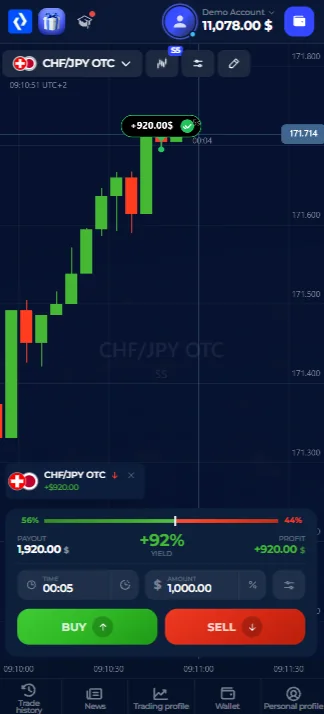
We also checked the product from a mobile browser. The mobile view keeps the chart and main trade controls inside the same browser-based environment rather than moving the user to a different service.
The desktop capture shows trade history, while the phone capture shows the active trading screen. Together they provide a direct comparison of the two layouts.
Real desktop and mobile captures · 20 Sep 2026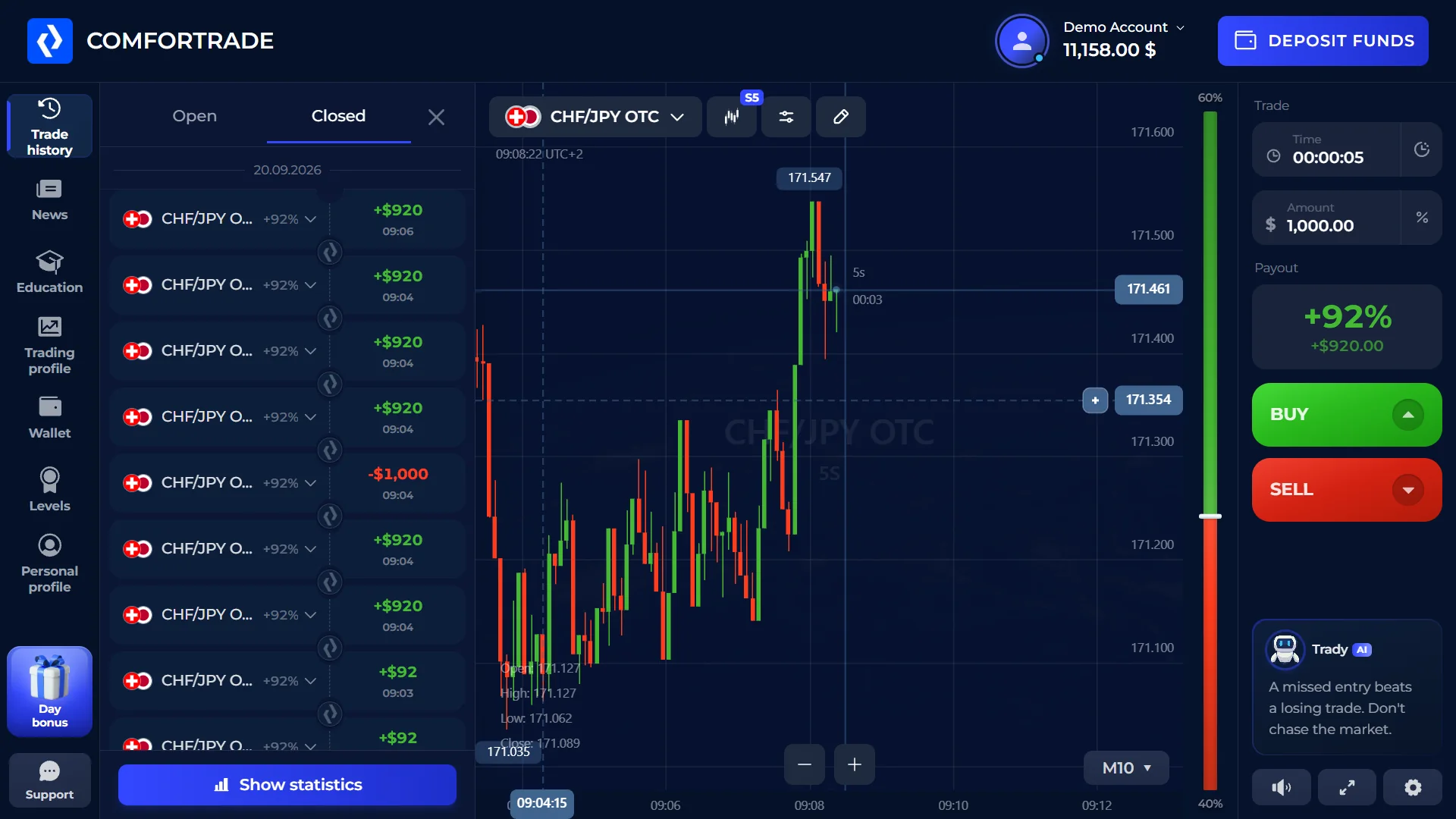
From Registration to Funding and Withdrawal
The main lifecycle around the trading platform can be summarized in six steps without turning each step into a separate homepage guide.
Create profile
Register with the required details.
Open Demo
Use virtual funds to inspect the platform.
Verify
Complete the applicable identity checks.
Fund
Add funds under the current limits.
Trade
Use the browser terminal and selected instrument.
Withdraw
Submit a request under the current rules.
Current ComforTrade Conditions at a Glance
The figures below come from the broker's current documents unless explicitly marked as an interface observation.
Detailed Guides by Task
The supporting sections go deeper into the trading terminal, lifecycle, funding/withdrawal rules, source documents and the CT Partners affiliate program.
Trading Terminal
Demo mode, terminal controls, indicators, history and mobile use.
User Lifecycle
Registration, Demo/Real transition, verification, access and recovery.
Funding & Withdrawals
Deposit minimums, withdrawal requests, verification and processing rules.
Company Documents
Operator information, agreement terms, restrictions and documented changes.
Affiliate Program
CT Partners / CT-Aff, RevShare tiers, referral links, tracking and current payout terms.
ComforTrade Broker and Platform Questions
What is ComforTrade?
ComforTrade is an online broker with a browser-based Client Area and trading platform. The broker currently presents Demo and Real modes and more than 60 instruments, including currency pairs and cryptocurrencies.
What is the official ComforTrade website?
The official broker domain is comfortrade.com. ComforTrade.co is an independent affiliate website and is not the official broker website.
Does ComforTrade have a browser trading terminal?
Yes. The trading workspace we checked runs in the browser, and the English terminal screenshots on this page come from that interface.
Does ComforTrade have a Demo mode?
Yes. Demo mode is available after registration and uses virtual funds. We also observed the Demo state directly in the English interface.
Can the platform be used on mobile?
Yes. We accessed the trading workspace in a mobile browser and captured the mobile interface shown on this page.
Do I need to download the terminal?
The core terminal we checked is browser-based. Any separate app or future download options should be verified against the broker's current official product information.
Open the Official ComforTrade Website
Continue to the broker or inspect the platform and current conditions above first. Promo code: EN.