
ComforTrade Trading Platform: Demo, Terminal & Mobile Access
A detailed look at the ComforTrade browser terminal using our own English-interface screenshots: Demo mode, chart controls, technical indicators, trade history and mobile access.
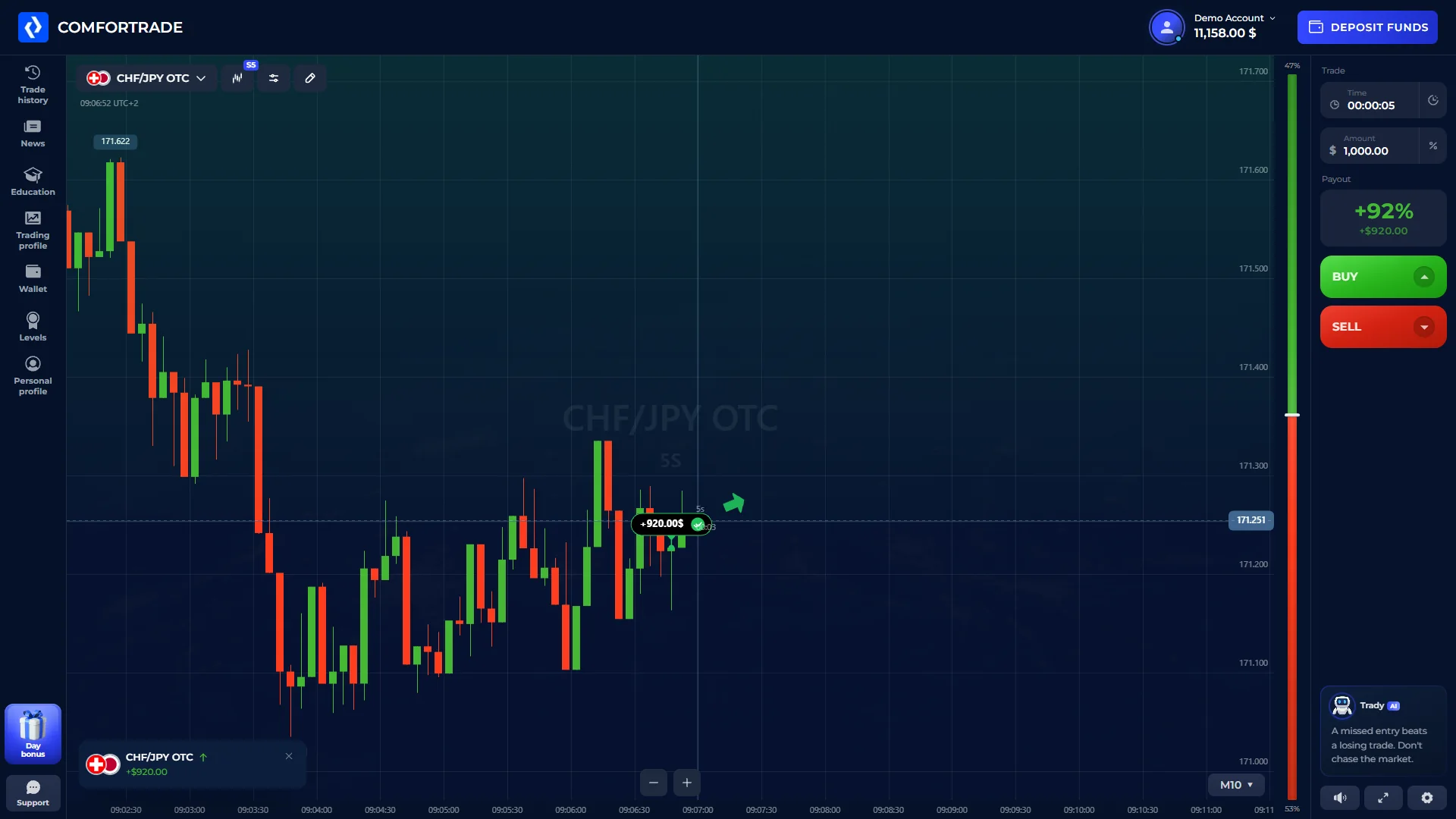
Inside the ComforTrade Trading Terminal
The Trading Terminal is the working interface inside the Client Area. The current Client Agreement describes it as the place where a client sets the trading instrument, expiration time, transaction volume and contract type.
Instrument selector
The active market appears at the upper left of the workspace. In our capture, CHF/JPY OTC is selected.
Price chart
The central chart carries the price action, time scale and the tools used for technical analysis.
Trade time
The right-side trade panel shows the selected duration. The screenshot records a five-second setting.
Amount
The transaction amount is entered directly in the trading panel before the trade is opened.
Displayed payout
The interface displays a payout percentage for the selected instrument. This value can change with the instrument and current platform conditions.
BUY / SELL
The terminal presents BUY and SELL as the directional controls used to open a trade contract.
ComforTrade Demo Account
ComforTrade states that the Demo account opens after registration and uses virtual funds, so a first real deposit is not required to explore the platform. Our own terminal capture also shows the Demo Account state in the English interface.
Demo is useful for learning where the instrument selector, chart, timing, amount and directional controls sit. It should not be treated as evidence of the result a user would obtain with real money.
Charts and Technical Indicators
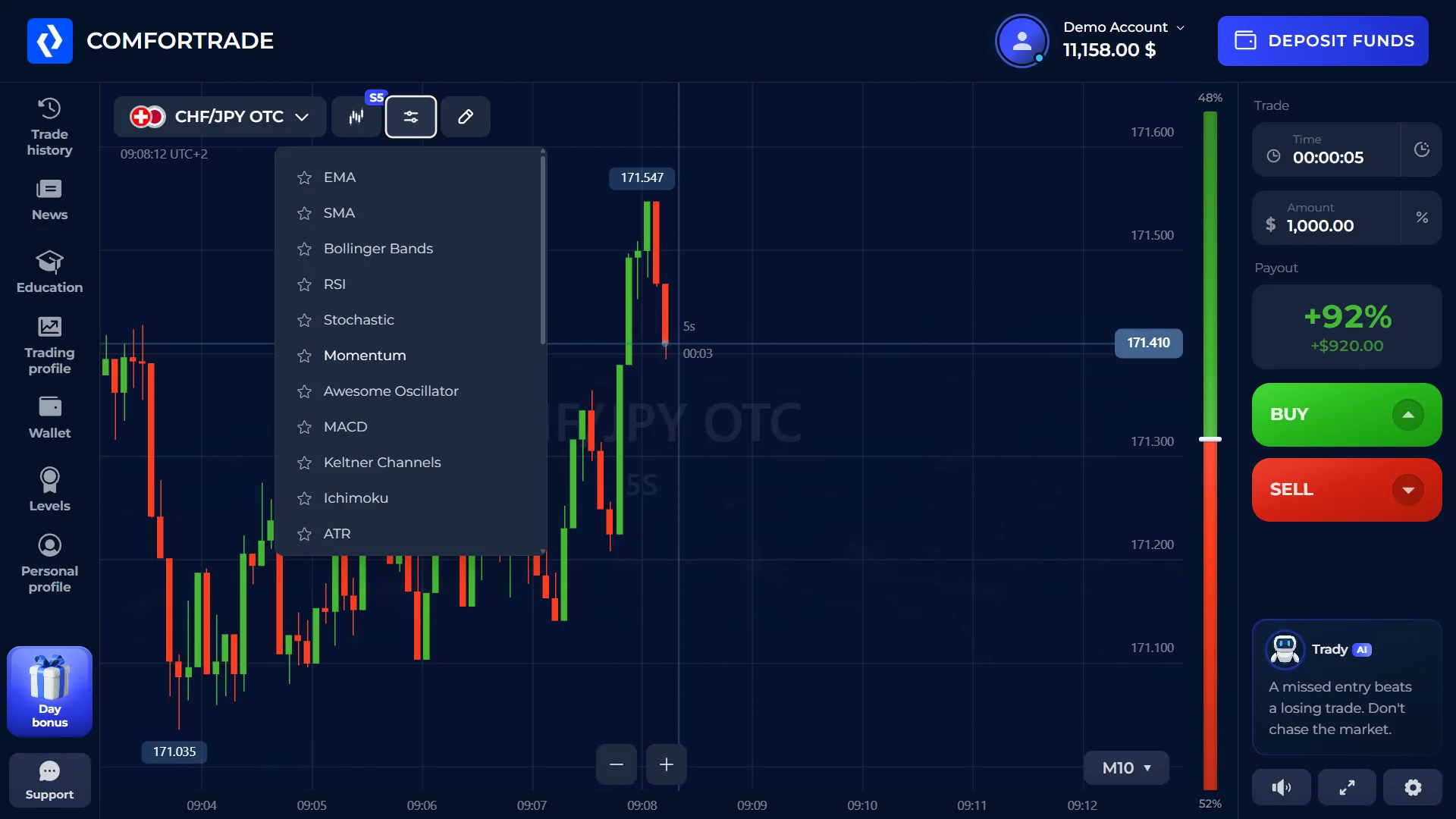
The indicator menu is built into the trading workspace. Our screenshot shows multiple tools available without leaving the chart.
These names are taken from the indicator menu visible in our own English terminal capture. This section documents the interface; it does not recommend a trading strategy or a specific indicator setup.
ComforTrade Trade History
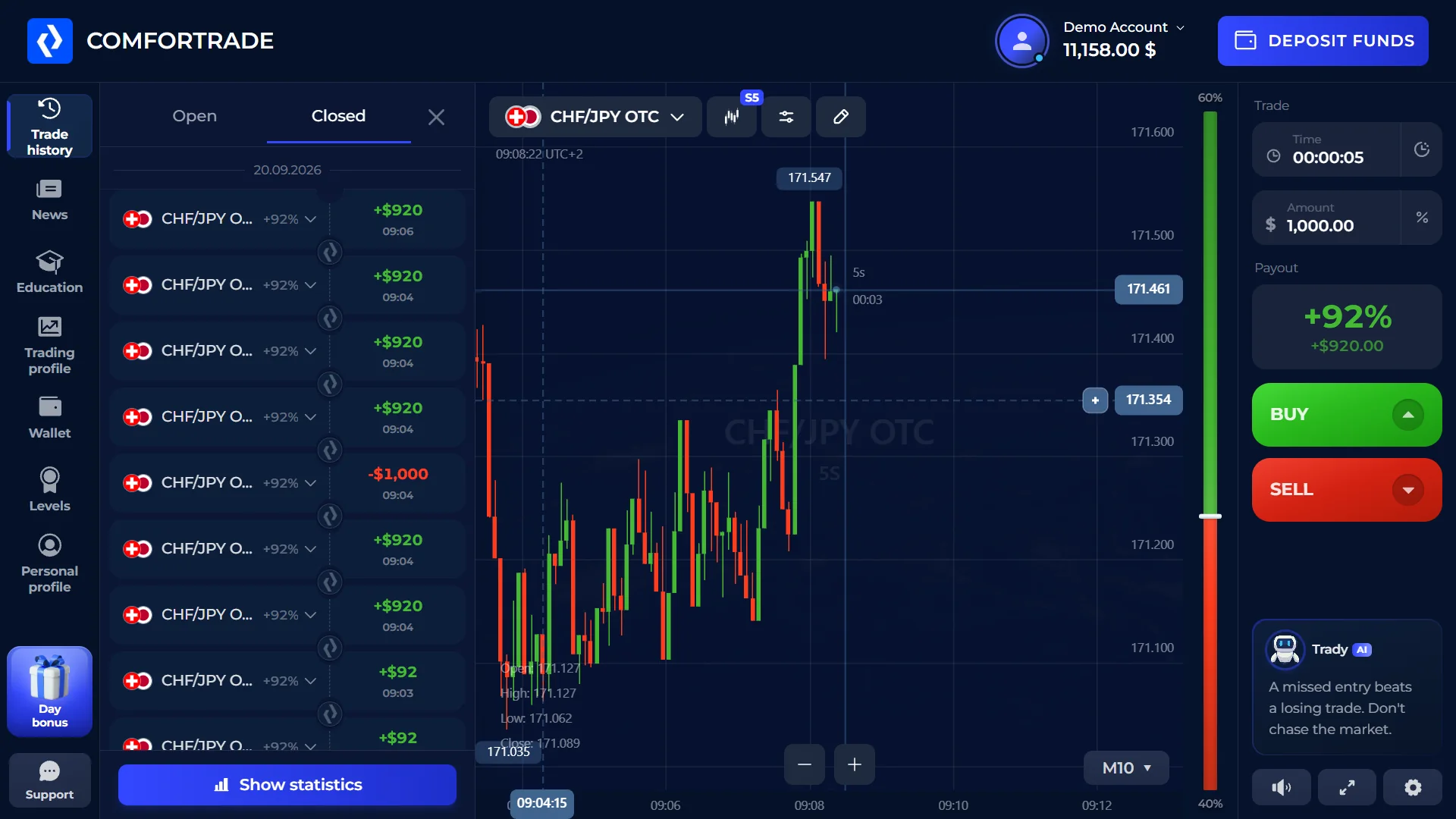
The left navigation includes a Trade History section. In our captured interface, the Closed tab shows completed entries together with the instrument, result and time.
The screenshot also exposes a Show statistics control. We keep this section limited to what is visible in the interface rather than inferring performance or profitability from a test account.
ComforTrade on Mobile
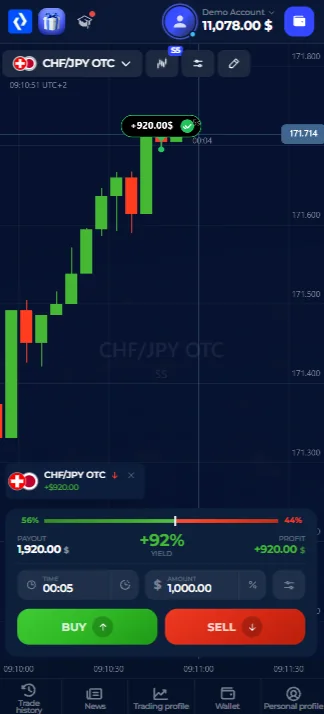
The current Getting Started material says that the terminal runs in the browser on desktop and mobile. We also opened the product in a mobile browser and captured the compact trading view shown here.
The mobile layout keeps the chart, current instrument, amount, duration and BUY/SELL controls in the main working area. Navigation moves to the bottom of the screen, which is a clear layout change from desktop rather than a different trading product.
Does ComforTrade Require a Download?
The core trading terminal we verified is browser-based. ComforTrade's current English onboarding states that the terminal runs in the browser on desktop and mobile, so the web platform does not require a separate desktop installation for normal browser access.
We do not state that a standalone ComforTrade app can never exist. App and download options can change, so any separate software should be checked against the broker's current official product information before installation.
Markets Available in ComforTrade
ComforTrade currently states that the service offers more than 60 instruments, including currency pairs and cryptocurrencies. The active market is selected from inside the terminal.
Because live instrument availability can change, we do not reproduce a permanent list of every symbol on this page.
ComforTrade Trading Platform FAQ
What is the ComforTrade trading platform?
It is the browser-based trading workspace inside the Client Area. The terminal is used to choose an instrument, set trade parameters and open a trade using the platform's directional controls.
Does ComforTrade have a Demo account?
Yes. ComforTrade states that Demo opens after registration and uses virtual funds, with no first real deposit required for Demo use.
Do I need to download the ComforTrade terminal?
The core terminal we checked works in the browser. Current English onboarding states that the terminal runs on desktop and mobile browsers.
Can I use ComforTrade on mobile?
Yes. The broker currently describes browser access on mobile, and we also captured the real mobile-browser interface shown on this page.
What technical indicators are available in the terminal?
Our English interface capture shows EMA, SMA, Bollinger Bands, RSI, Stochastic, Momentum, Awesome Oscillator, MACD, Keltner Channels, Ichimoku and ATR.
Where can I see my trade history?
The terminal navigation includes Trade History. In our capture, the Closed tab shows completed entries with the instrument, result and time.
Open the ComforTrade Trading Platform
Continue to ComforTrade through our affiliate link. Promo code: EN.